Garmin GPS Devices:
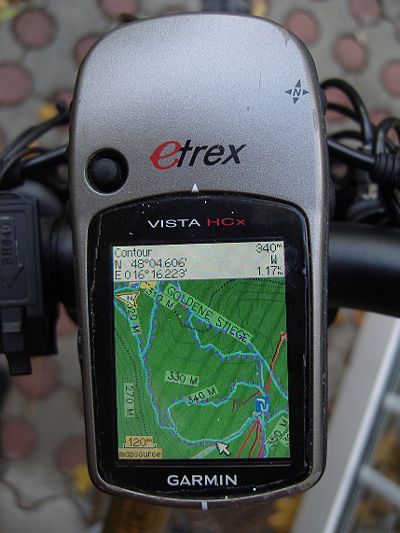 The maps are compatible with nearly all Garmin PNAs with a color screen (e.g. Legend/Vista HCx and Cx, etrex x0, 6062/76CSx, Oregon, Colorado,Edge 705/800, Dakota, most Nuvi, some Streetmap). The maps also work on Garmin smartwatches with color screen. However some colors are not optimal on the 16 color displays. Some watches have 64 color displays and are better suited.
Compatibility - Standard (Unicode) vs Non Unicode (cannot authenticate maps / cannot unlock maps)
Unicode is needed to display several alphabets in one map. Non Unicode maps can only display a single alphabet - e.g. kyrillic and latin - but not both. However Garmin blocked using Unicode maps in part of a broken copyright protection on newer GPS device series.
In general just download the Maps from the first "VeloMap" tab - they are in unicode if useful. If you get the message - "cannot authenticate maps" or "cannot unlock maps", and you have you have one of the following devices:
- All Garmin devices presented 2016 or newer
- Edge 1000
- Epix
- Etrex 20x / 30x (not "etrex 30")
- Etrex Touch 25/35
- GPS Maps 64 series
- Montana 610, 680
- Oregon 700,750
- Some recent Nuvi devices - as well as some super old devices that do not support Unicode. (E.g. Garmin Vista C, GPS Maps 60 C)
you will need to download the "non unicode" version of the map instead. So get the map from the "non unicode openmtbmap or velomap" tab instead. Only maps of regions where several different scripts are used - are in unicode. If Latin is the predominant script - then of course no unicode map is offered. If your device can display Unicode maps - then of course get the standard version - meaning Unicode. Non Unicode maps require registration to download.
Garmin Edge x30 or newer
Garmin introduced a completely broken high contrast mode - that washes out the colors of the maps. Either disable the high contrast mode on the map visibility section. Or delete the \Garmin\MapThemes\Mountain.kmtf (sometimes also called \Garmin\MapThemes\Mountains.kmtf ) file (back it up if you think you ever want to use that mode. Since the newest firmware in July 2021 you need to enable classic mode -
, select a profile, and select
- Classic: This shows the OpenMTBMaps / VeloMaps as intended, however POI are now shown from Edge profile.
- High Contrast: Complete fuckup by Garmin - because they are not able to make their own maps high contrast in first place.
- Mountain Biking: Complete fuckup by Garmin - because they are not able to make their own maps high contrast in first place.
SD Cards
This is not about the maps but in general Garmin units that have a microSD card slow only accept SDHC cards - SDXC cards will not work. Max 32GB size and you need to format it with FAT32 (not exFAT). Be careful with 32GB cards which are available as both SDHC and SDXC. 16GB and smaller usually are always SDHC.
Garmin Basecamp - Perfectly compatible starting with version 3.
Garmin Mapsource 6.16.3 or newer (Windows based PC/Wine/ Mac) Mapsource compatible - I recommend using 6.16.3. If you have not yet installed Mapsource - here is how to do it: https://openmtbmap.org/tutorials/install-mapsource/ Attention. Mapsource versions older than 6.16.1 do now show all streets and ways, so do not use them with the openmtbmaps. Also note that Mapsource does not show contourlines at the same time as the maps (Basecamp does though).
iOS: No compatible apps exist AFAIK.


Leave a Reply
You must be logged in to post a comment.